Send lots of emails to Klar at once

Send up to 15 documents to Klar at once. From Gmail on a computer.
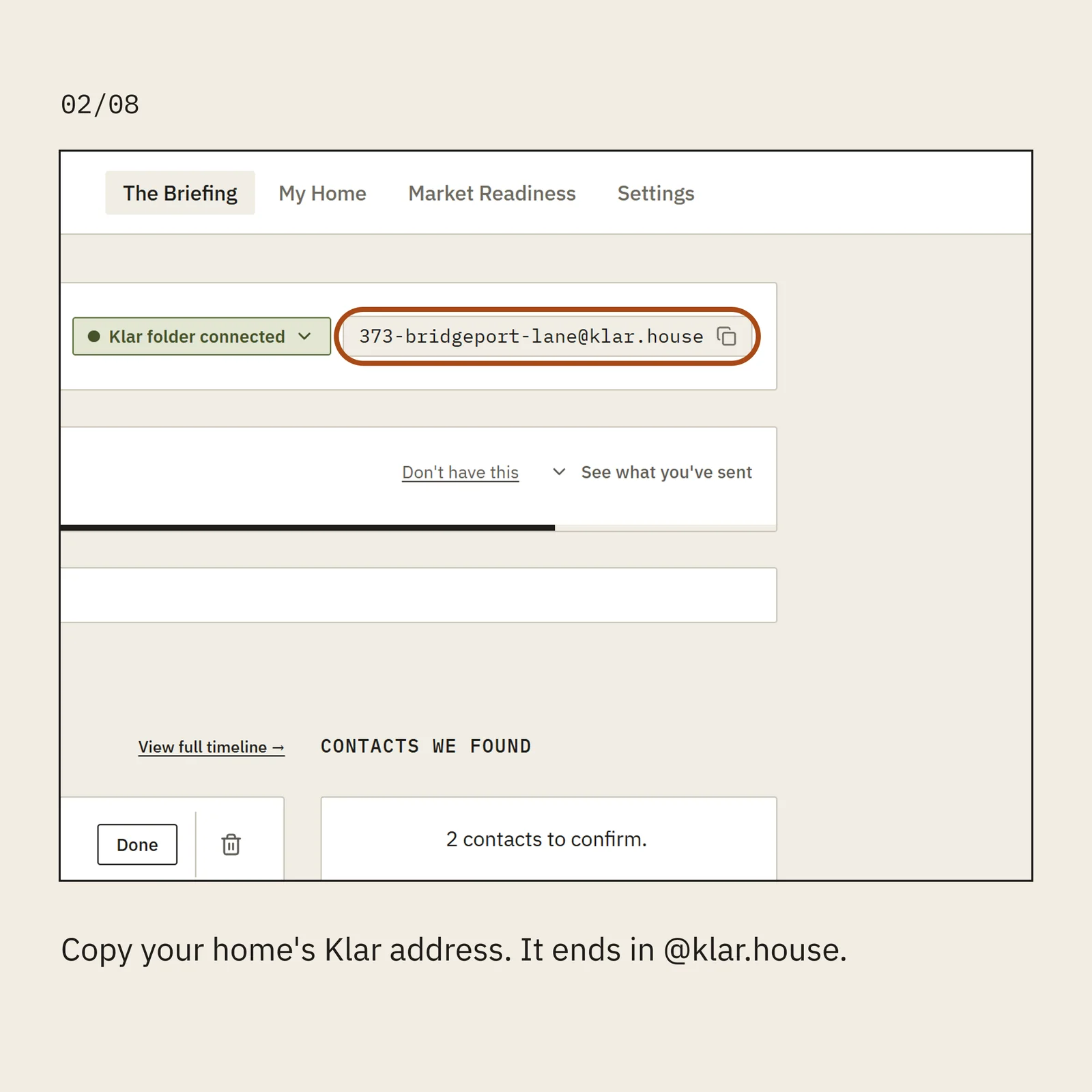
Copy your home's Klar address. It ends in @klar.house.
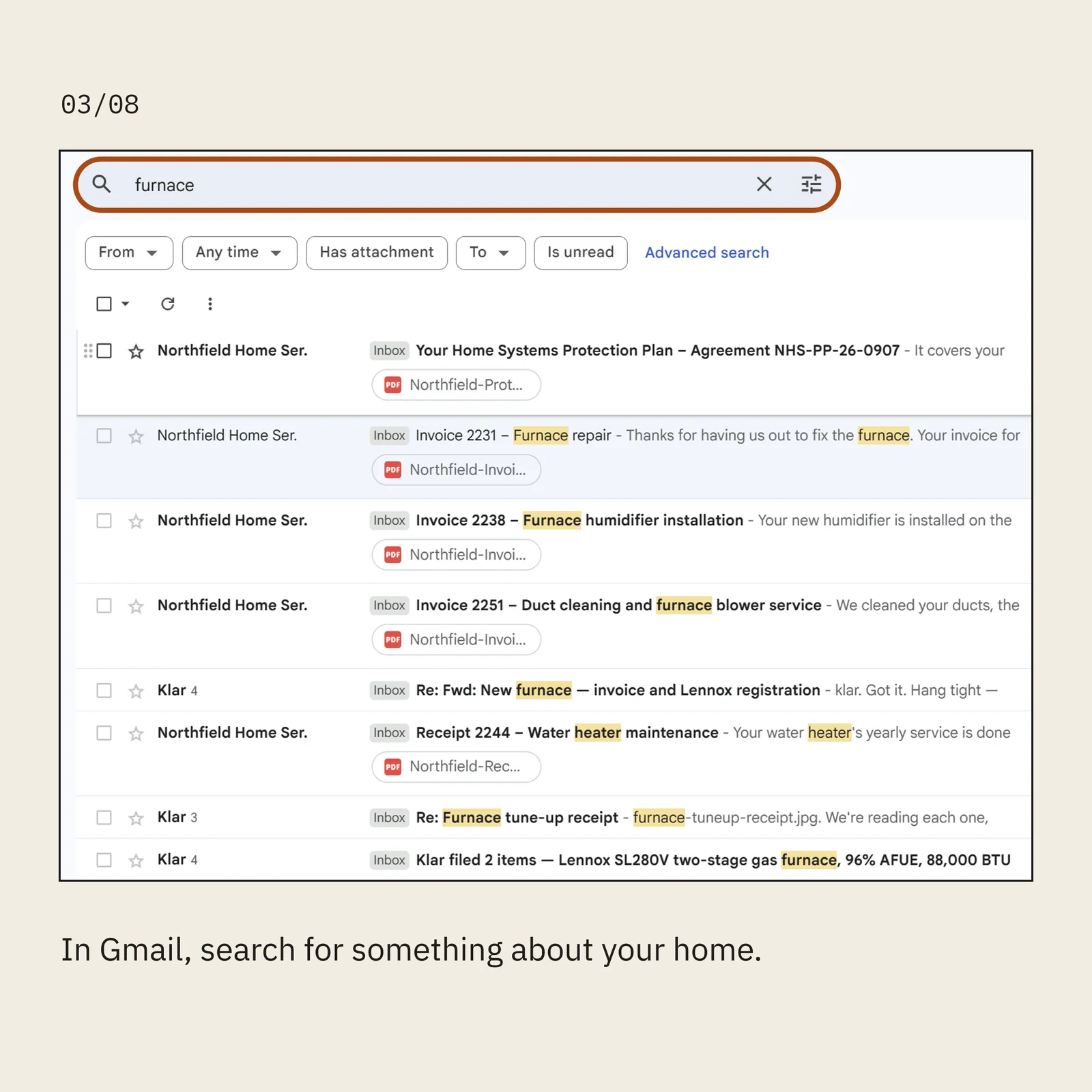
In Gmail, search for something about your home.
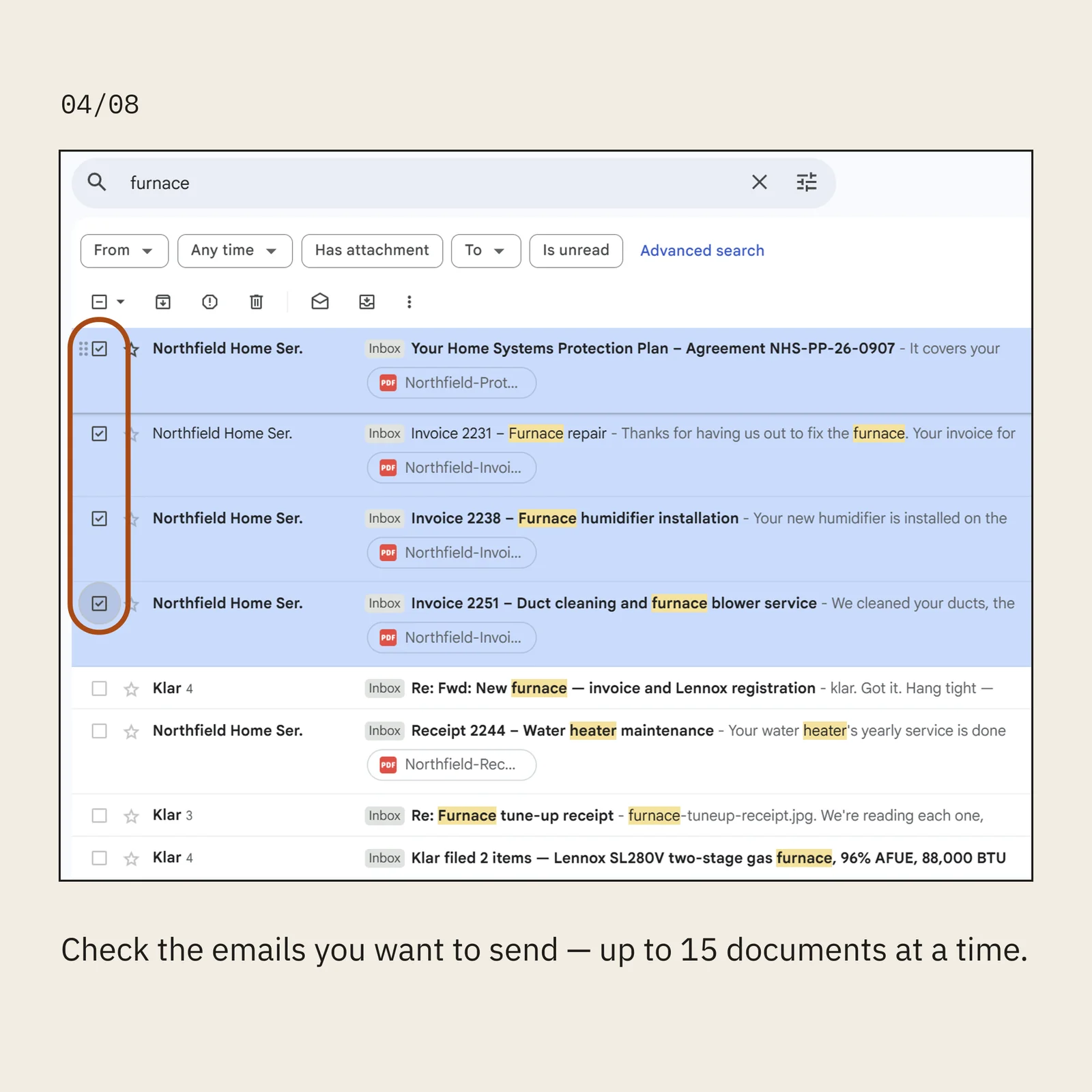
Check the emails you want to send — up to 15 documents at a time.
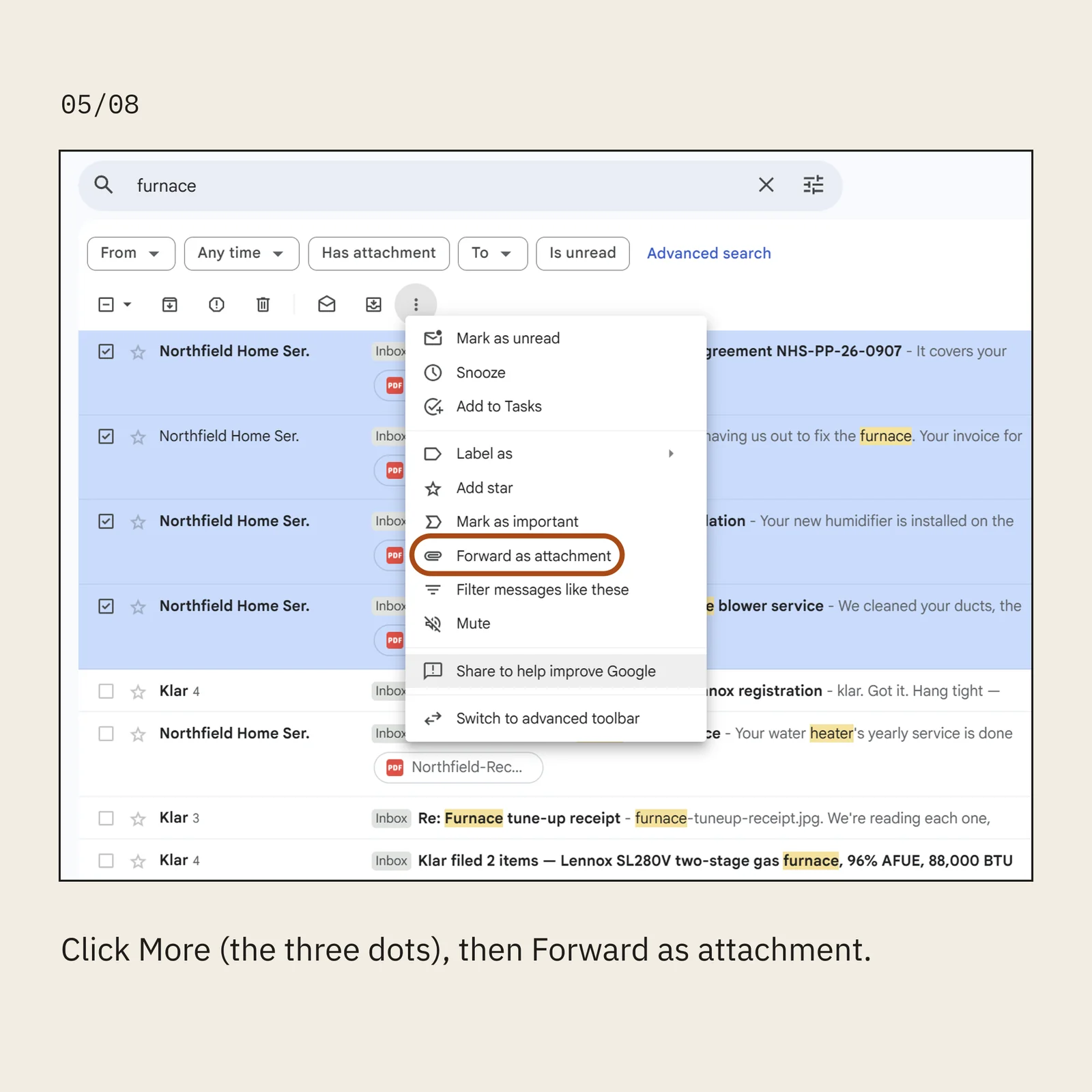
Click More (the three dots), then Forward as attachment.
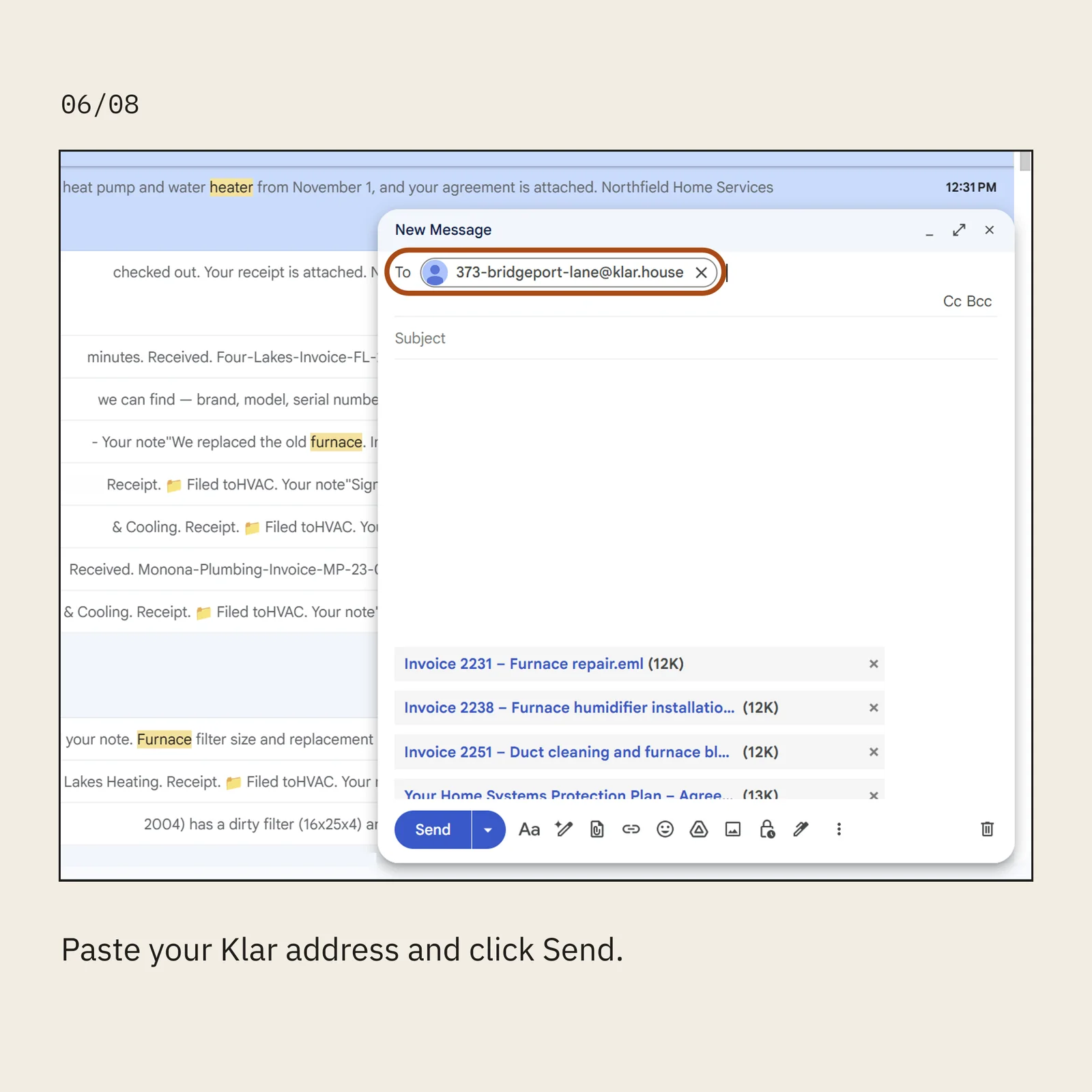
Paste your Klar address and click Send.
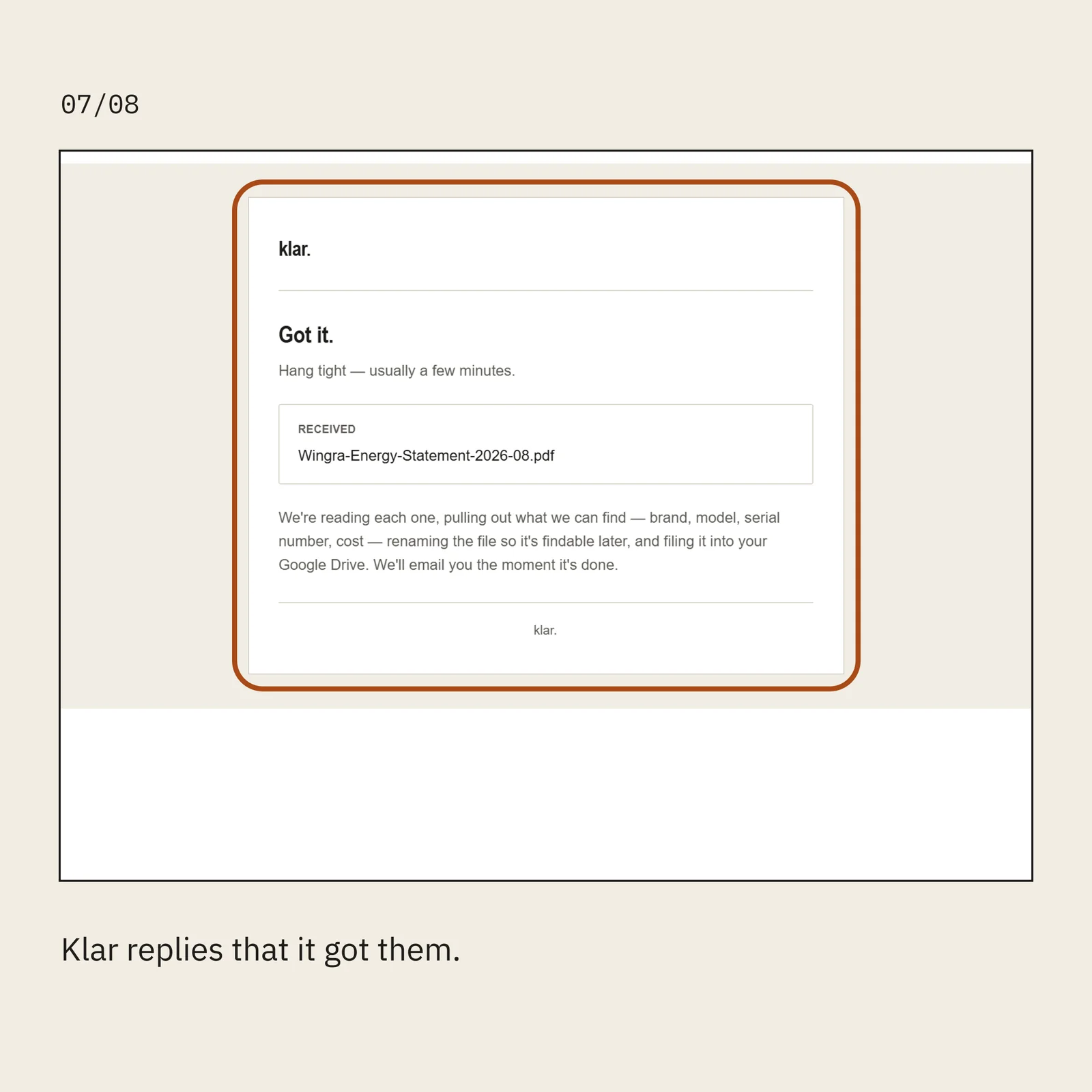
Klar replies that it got them.
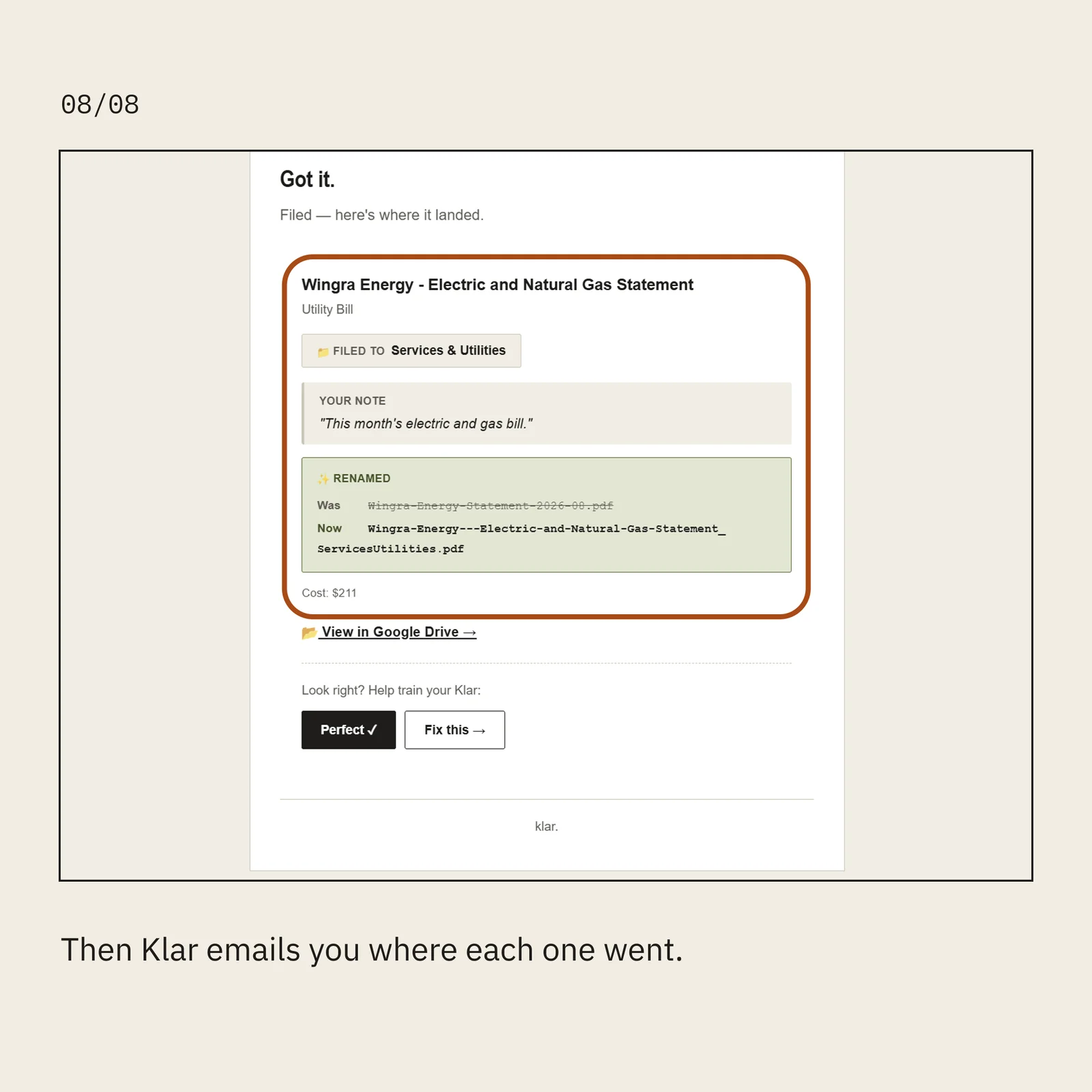
Then Klar emails you where each one went.
1 of 8